




Your AI Assistant Already Exists: How Smart Business Owners Use ChatGPT, Claude and Perplexity Today

While you read this, there are business owners who already have an assistant that never sleeps, never takes holidays, and doesn’t draw a salary.
We’re not talking about promises. We’re not talking about pilots. We’re talking about tools anyone can use today, this week, with the phone in your pocket.
Over the past few months, thousands of entrepreneurs and business owners have started sharing publicly how they’re using these tools in a way that’s very different from a year ago. Not to write pretty emails. To run their business differently.
This article is for you if you have between 10 and 100 people in your company, you’re not technical, and you’ve been hearing about AI for a while but don’t know exactly what you can do with it tomorrow morning.
Let’s get to it.
The shift nobody explained to you
A year ago, ChatGPT was a fancier search engine. You asked it something, it answered, and that was the end of it.
What’s happened in the past few months changes that completely.
These tools now have memory. They know who you are, what company you run, how you prefer to be addressed, what you’ve discussed with them before. You don’t start from scratch every time.
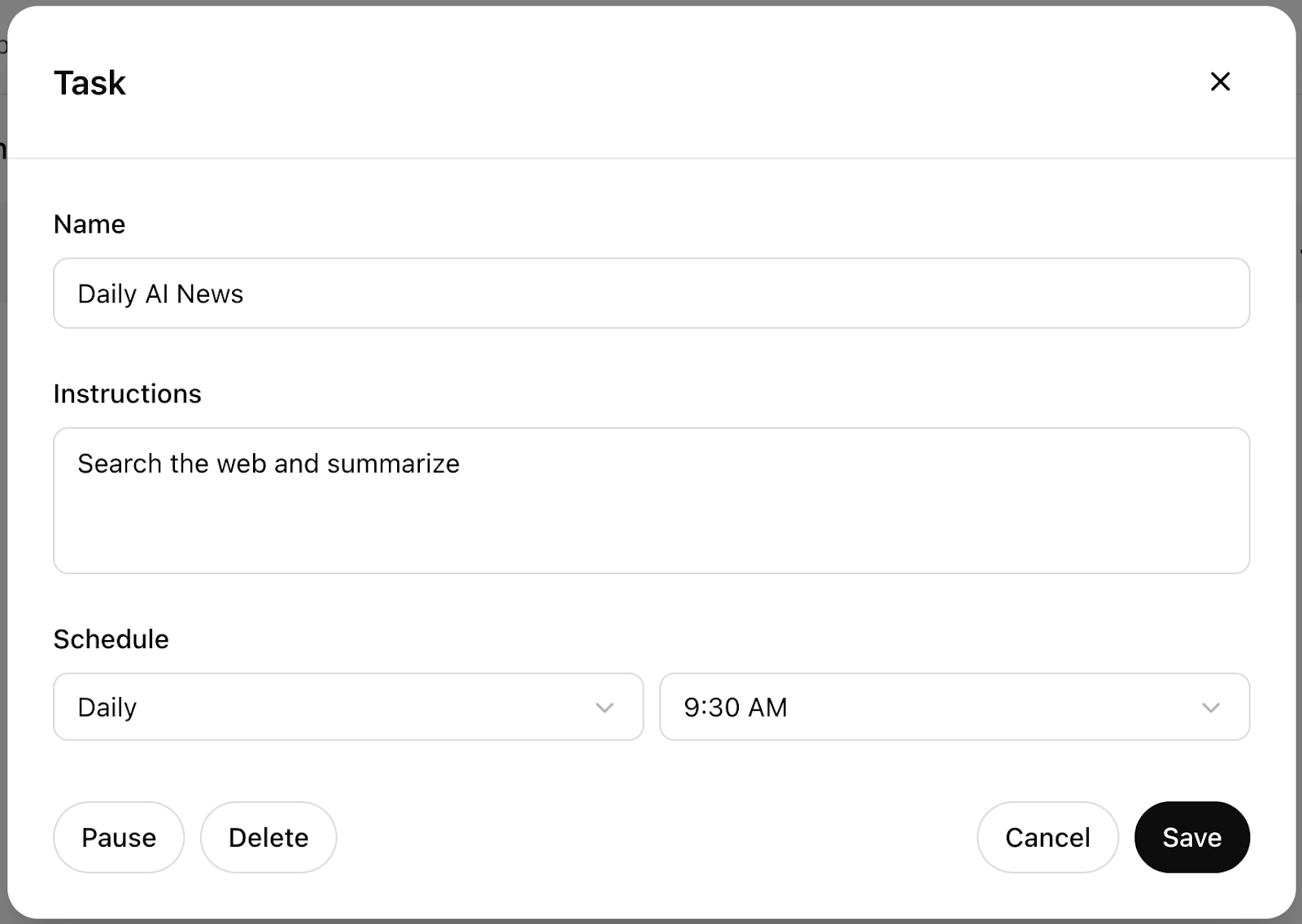
They have scheduled tasks. You can tell ChatGPT: “Every Monday at 8am, remind me to review overdue follow-ups from last week.” And it does. Without you lifting a finger.
They have agents. Tools like Perplexity can browse the internet, read pages, compare prices, research suppliers, and give you an executive summary in the time it takes to make a coffee.
And Claude, in particular, has become the go-to tool for many executives when it comes to analysing documents. Upload a 40-page contract and in two minutes it tells you what matters.
This isn’t the future. This is what’s happening right now.
5 concrete things you can do TODAY
1. Automatic reminders and follow-ups (ChatGPT Tasks)
How many clients do you have in active follow-up right now that haven’t heard from you in over a week? Do you know without checking?
With ChatGPT Tasks you can set up a weekly reminder in five minutes that tells you exactly which clients are pending follow-up, what you told them last time (if you shared it with ChatGPT), and what you should do this week.
A real estate agent in Valencia uses it to never lose a prospect. A solar energy installer in the Basque Country uses it to know which quotes have gone unanswered for more than ten days.
You don’t need to code anything. Just describe what you want in plain language.
2. Personalised daily briefings (Perplexity + memory)
Imagine that every morning, before you walk into the office, you have a summary on your phone of:
- Industry news that affects you
- Regulatory changes relevant to your business
- News about your main competitors
Perplexity, with its memory feature enabled, can do exactly that. You tell it once what your sector is, your geographic area, your competitors, and every day it brings you what matters (not the general noise of the internet).
One SMB manager in Madrid told us he used to spend between 45 minutes and an hour a day doing this manually. Now it takes three minutes to read the briefing.
It’s not magic. It’s delegating well.
 Source: Perplexity — Perplexity Tasks
3. Analyse a supplier PDF or contract in 2 minutes (Claude)
This is the one that surprises business owners the most when they try it for the first time.
You have a 35-page service contract. Or a technical proposal from a supplier. Or the audit report from your accountant. How long does it normally take you to read it and understand the implications?
With Claude, you upload the PDF and type: “What are the clauses that could hurt me the most? Is there an automatic renewal? What happens if I want to cancel before the term?”
In two minutes you have the answers. In plain language. No legal jargon.
Important: this doesn’t replace your lawyer for critical decisions, but it saves you hours of preliminary reading and lets you walk into those meetings with the right questions already in hand.
4. Generate a report or document ready to deliver
Your client wants a status report. Your bank needs an executive summary of the project. A potential partner wants to understand what you do.
You can describe to ChatGPT or Claude the context of your business, the data you have, and ask it to generate a structured, professional document. Then you review it, adjust what doesn’t fit, and export it.
What used to be half a day’s work can be half an hour.
Not to replace your judgement, but to execute faster what you already have in your head.
5. Ask your own documents as if you had an assistant
This is the feature that’s changing the day-to-day of businesses we work with the most.
Imagine having all your key documents (employee handbook, product catalogue, commercial terms, internal procedures) in a system you can ask questions in plain language.
“What’s our return policy for orders over 500 euros?” “What exactly does the basic maintenance service include?” “What are the steps to onboard a new client?”
Today, with Claude or ChatGPT, you can upload those documents directly into the conversation and do exactly that. It’s not perfect. It’s not permanent. But it’s good enough to save hours of internal searching every week.
What you still can’t do on your own
Everything we’ve described above works. And it works well. But it has a limit.
These tools work within the conversation. They’re not connected to your CRM. They don’t update your ERP. They don’t read your inbox autonomously. They don’t send an email to your client when an order status changes.
For that you need something more: automations connected to your real systems.
That’s exactly the difference between using AI as a personal assistant and using AI as business infrastructure.
An energy installer we work with went from managing 40 quotes a month manually (spreadsheets, emails, phone calls) to having a system that generates the quote, sends it to the client, records the response and updates the status in the CRM. No human intervention on the repetitive steps.
They didn’t need to hire anyone new. They didn’t need to change how they work. Just connect what they already had.
That’s what we do: the initial setup, the connection to your systems, and the custom workflows for your specific business.
Want us to set all this up tailored to your business?
At Solventus we’ve spent over 18 months implementing these tools in Spanish SMBs across different sectors. We know what works, what doesn’t, and how to avoid the mistakes that cost time and money.
If you want to explore what this would look like applied to your company (no strings attached, no 40-page PowerPoints) tell us briefly what you do and which process is eating up most of your time.
Frequently asked questions
Do I need to know how to code to use these tools?
No. ChatGPT, Claude and Perplexity are used in plain language, as if you were sending a WhatsApp message. No commands, no code, no technical setup for the basic features. Anyone on your team can learn to use them in an afternoon.
Is it safe to upload company documents to these tools?
It depends on the document and the platform. For documents with sensitive information (contracts with personal data, confidential financial information) it’s advisable to review each tool’s privacy policy and, in some cases, use enterprise versions (which offer additional guarantees on data handling). For internal documents without critical data, the risk is minimal. As a general rule: don’t upload anything you wouldn’t upload to a cloud storage service.
How long would it take me to get started?
For the basic features described in this article, an afternoon is enough. Create an account, explore the interface, try it with a real document from your company. The learning curve is surprisingly short. To connect these tools to your systems and build real automated workflows, that requires a professional setup, and that’s where we come in.
Can any of my employees do this?
Yes, with minimal context. What makes the biggest difference isn’t technical skill, but knowing what to ask the tool. That’s learned quickly. In companies we work with, we’ve trained entire teams in under two hours and adoption has been very high, because the tool responds in the same language people speak.
Does this replace my employees?
Not in the way you’re probably thinking. These tools eliminate repetitive, low-value work (searching for information, formatting documents, preparing summaries) so the people on your team can spend their time on what really matters: client relationships, decision-making, creative work. Most companies that adopt them don’t reduce staff. They do more with the same team.
 ChatGPT
  Claude
  Perplexity